AI大模型
国内OpenClaw产品整理
AI编程插件和IDE开发
AI Skills导航资源网站
最全大模型安全TOP10
AI助力攻防演练打点案例
AI赋能自动化安全测试
Skill在Java代审中应用
一文带你搞明白MCP
28个AI帮你打渗透测试
Gandalf AI提示词注入靶场
CTF/PHP/Java代审Skil
OpenClaw攻防演练手册
AI洪流防守对抗新范式
AI代码审计实现自动出货
自动化越狱提示词的生成
WX小程序安全审计Skill
文言文绕过AI大模型限制
JS智能解密渗透测试框架
AI代码审计Agent项目
AI赋能安全领域优质盘点
五款AI开源扫描器指南
LLM大模型红队测试框架
AI渗透测试蜂群项目
Skill渗透评估与提升专家
Java代码审计Skills合集
AI大模型设备安全基线排查
AI Agent架构自动化工具
Agent架构自动渗透工具
Agent自主代码安全审计
Skill恶意代码渗透测试
500+Skills覆盖安全领域
渗透测试利器安全平台
Skills网络安全技能库
开源Claude Code实用神器
Skill供应链扫描神器
AI驱动后渗透综合平台
大模型攻防渗透测试靶场
.NET代码安全审计Skill
AI赋能安全领域网站汇总
大模型漏洞检查命令行
OWASP LLM安全靶场
JS逆向辅助AI渗透工具
AI提示词编码注入工具
云安全漏洞利用Skill
AI自主渗透测试系统
CTF Agent自动化解题
业务系统漏洞验证记录
最全817项网络安全skills
开源AI自主渗透测试工具
等保大模型测评Skill
AI驱动红队作战平台
大模型RAG的CTF知识库
13个Agent跑应急响应
Kimi提示词注入项目
AI红蓝对抗Skills集合
Java全链路代审利器
一站式AI红队测试平台
AI代码安全防护利器
Yakit与Claude全链路渗透
AI自动化渗透测试工具
AI自动化渗透架构登顶
SRC漏洞报告提交稿Skill
全网最全信息安全MCP汇总
网络安全技能库Skills
自动漏洞挖掘验证系统
智能体AI安全专家渗透
网上流传的6k挖洞skill
DeepSeek-V4.1安全工具
AI驱动自动渗透平台
逆向技能路由Skill包
AI后渗透协同管理平台
移动端逆向分析技能集
多Agent侦察引擎系统
大模型搭建CTF知识库
AI大模型安全评测鉴别
AI驱动渗透逆向智能体
等保大模型测评Skill
LLM安全评测红队工具链
自动化漏洞验证系统
ARTEX最后版本源码
小迪安全知识库
-
+
首页
CTF Agent自动化解题
CTF Agent自动化解题
# CTF-BTFLY: CTF agent 自动化解题工具 项目地址:https://github.com/huihuilikaile/CTF-BTFly [](https://github.com/huihuilikaile/CTF-BTFly#ctf-btfly-ctf-agent-%E8%87%AA%E5%8A%A8%E5%8C%96%E8%A7%A3%E9%A2%98%E5%B7%A5%E5%85%B7) Caution CTF-BTFly 只能用于明确授权的 CTF 题目、靶场和安全研究环境。 请勿使用本项目扫描、测试或攻击未授权目标,也不要把比赛附件、Flag、凭据或私有数据上传到第三方服务。 ## 项目简介 [](https://github.com/huihuilikaile/CTF-BTFly#%E9%A1%B9%E7%9B%AE%E7%AE%80%E4%BB%8B) CTF-BTFly 将 GUI 与高权限控制平面分离: * **Wails + React 桌面端**负责题目管理、状态展示、事件时间线、文件预览、Writeup 和模型用量; * **独立 Go daemon**负责 SQLite、Docker、任务状态机、模型凭据和 Agent 生命周期; * **每题一个 Docker 沙箱**,根据题型加载 Web、Crypto、Pwn、Reverse、Forensics 或 Misc 专项工具; * **Pi RPC Agent**在容器内自主分析附件、执行命令、编写脚本并生成中文 `WRITEUP.md`; * **本地模型网关**把题目级短期 Token 替换为真实上游 Key,真实密钥不会进入容器或前端。 ## 图文说明与更新记录 [](https://github.com/huihuilikaile/CTF-BTFly#%E5%9B%BE%E6%96%87%E8%AF%B4%E6%98%8E%E4%B8%8E%E6%9B%B4%E6%96%B0%E8%AE%B0%E5%BD%95) **使用时需要启动docker desktop,配置镜像文件(下文有教程),配置env文件(模型baseurl+key+id等信息),打开右上角显示绿色提示灯,模型连接正常,即可开始使用。** [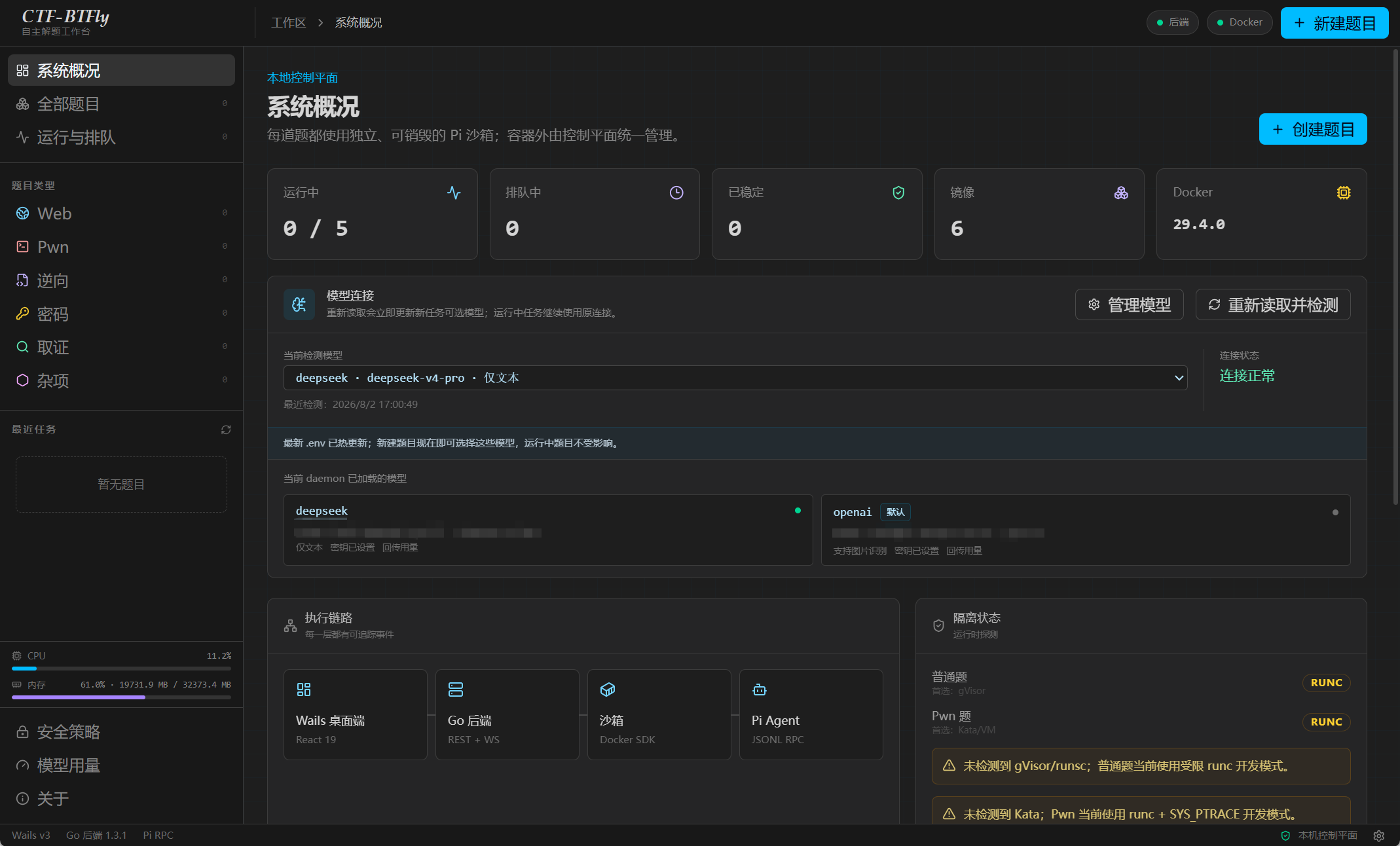](https://github.com/huihuilikaile/CTF-BTFly/blob/main/template/image-1.png) **docker镜像可以一键导入(2.0新增)** [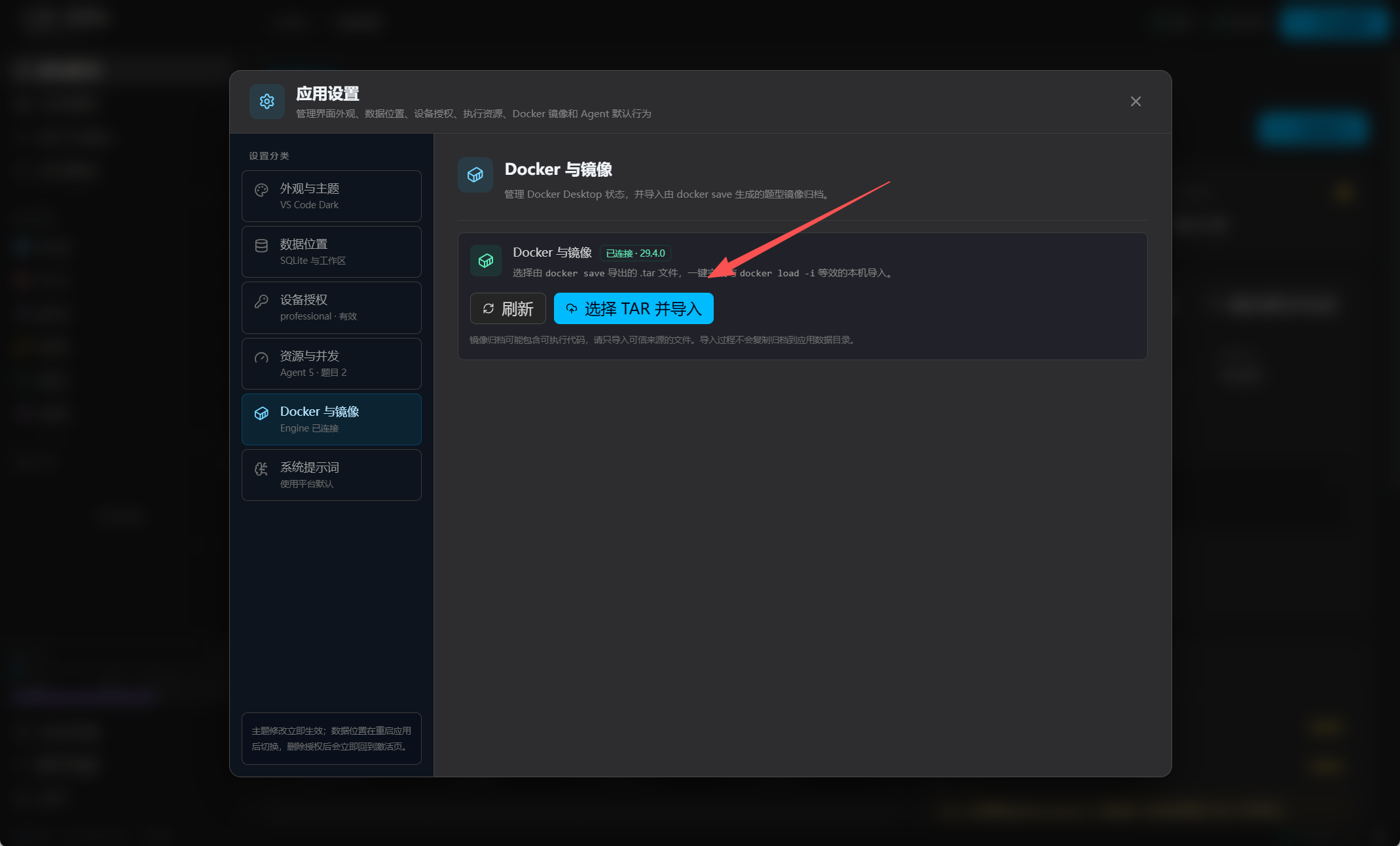](https://github.com/huihuilikaile/CTF-BTFly/blob/main/template/12.png) **拖动题目附件到对应的区域会启动创建题目窗口** [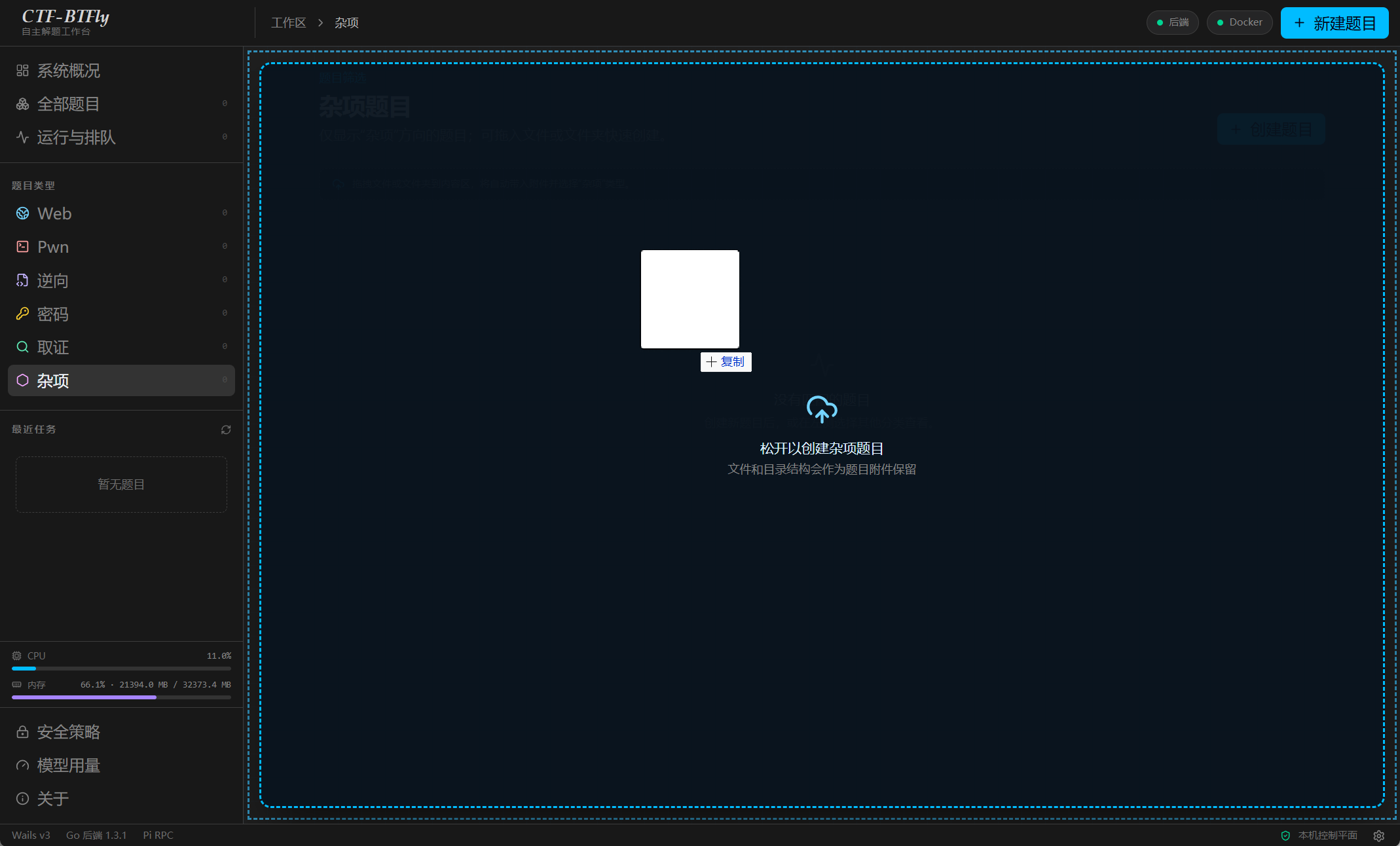](https://github.com/huihuilikaile/CTF-BTFly/blob/main/template/image-2.png) **填入题目信息,选择已经配置的模型,web/pwn/...配置远程地址,flag格式默认是flag{...}** [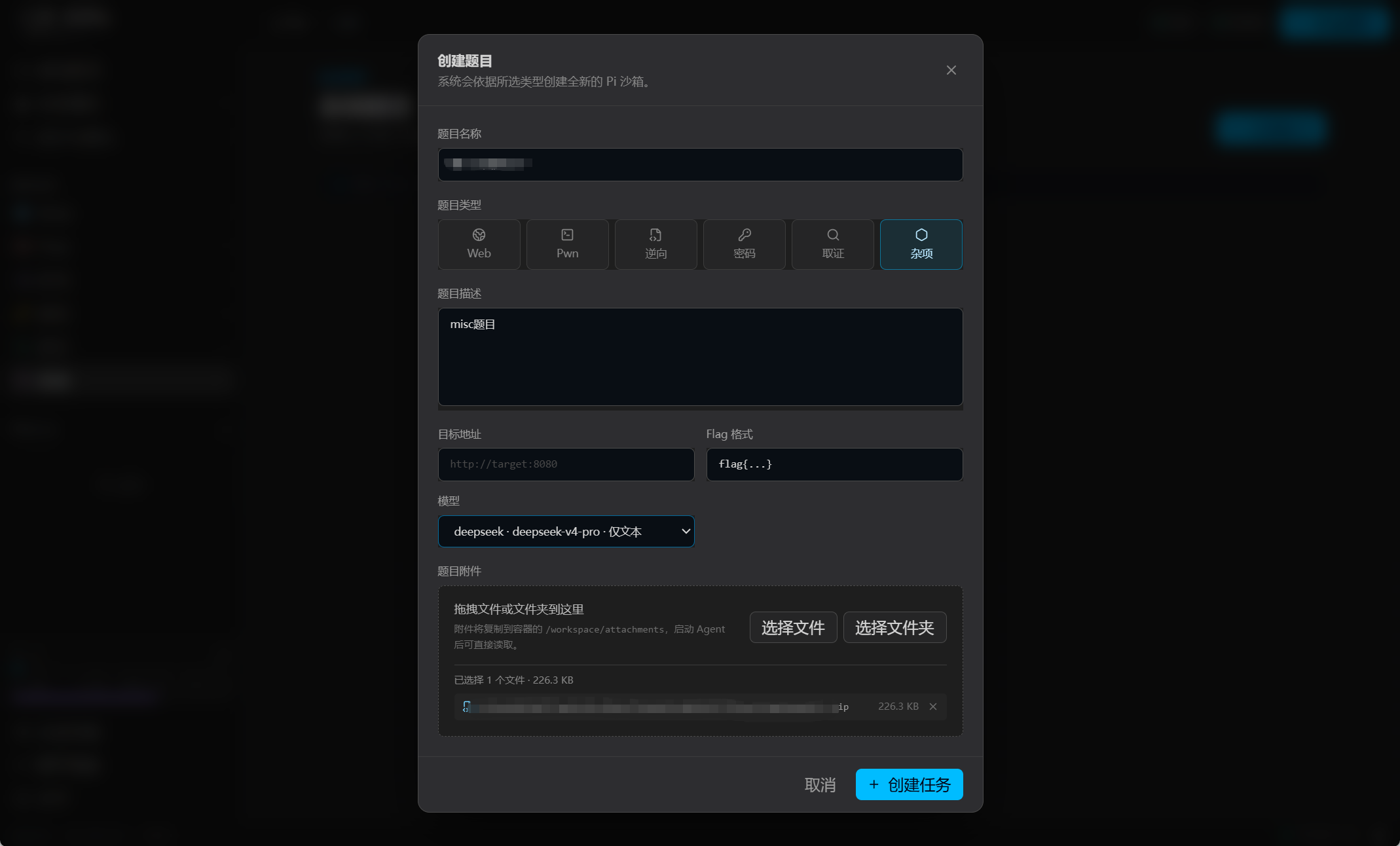](https://github.com/huihuilikaile/CTF-BTFly/blob/main/template/image-3.png) **2.0版本新增多模型协同模式 针对ctf难题可以选择此模式** [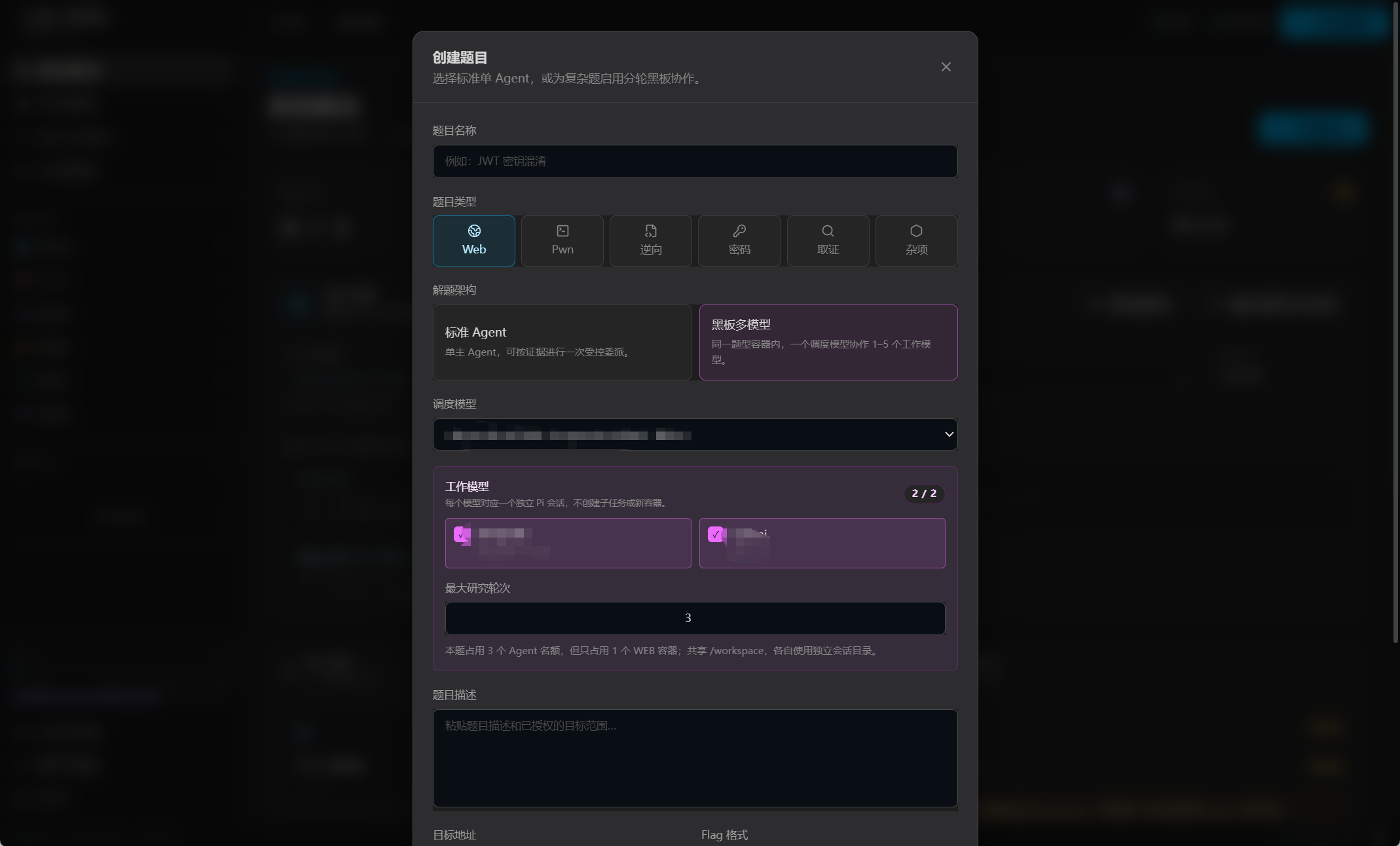](https://github.com/huihuilikaile/CTF-BTFly/blob/main/template/11.png) **题目创建好启动agent即可** [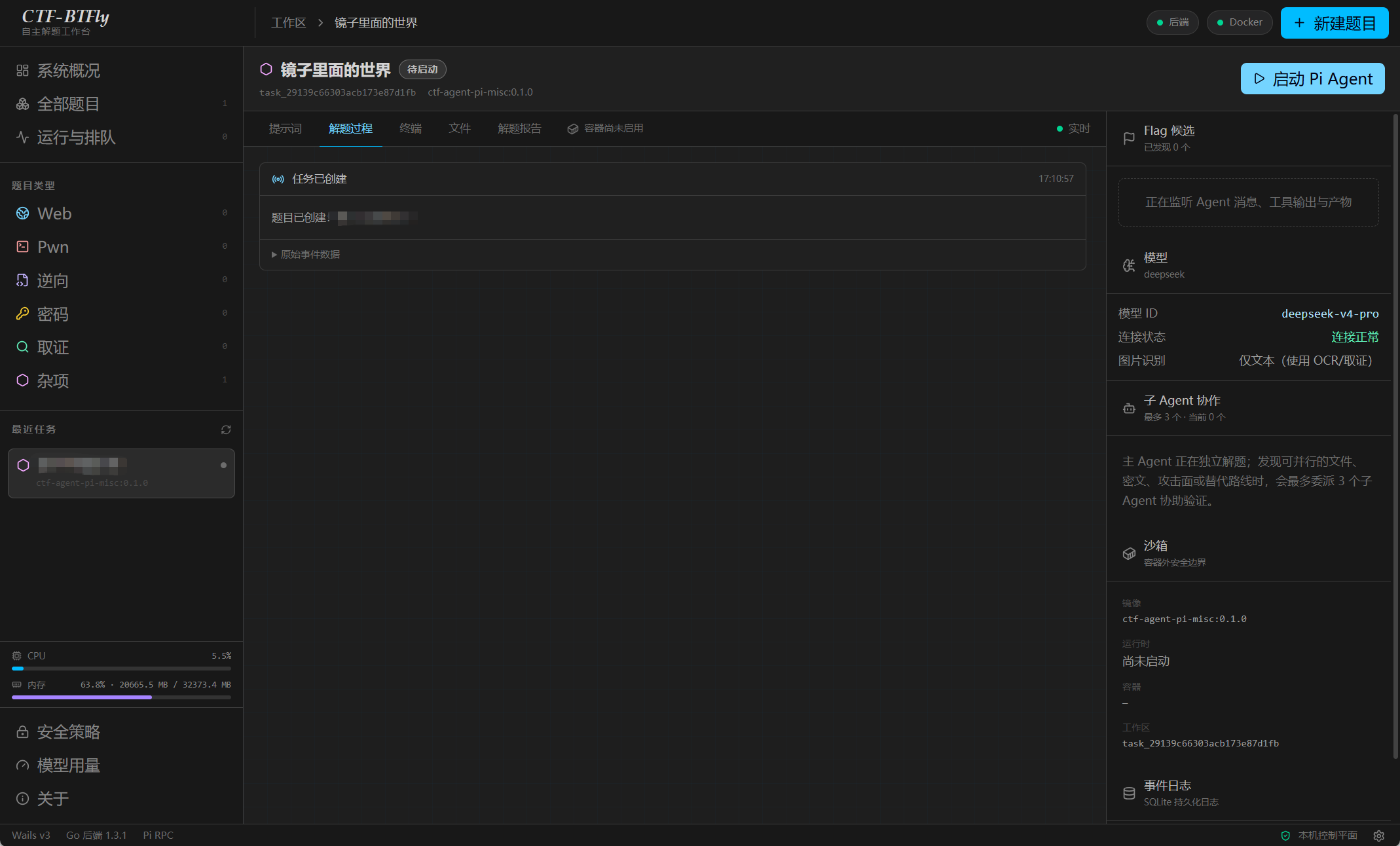](https://github.com/huihuilikaile/CTF-BTFly/blob/main/template/image-4.png) **提示词 可以在这里暂停增加新的提示** [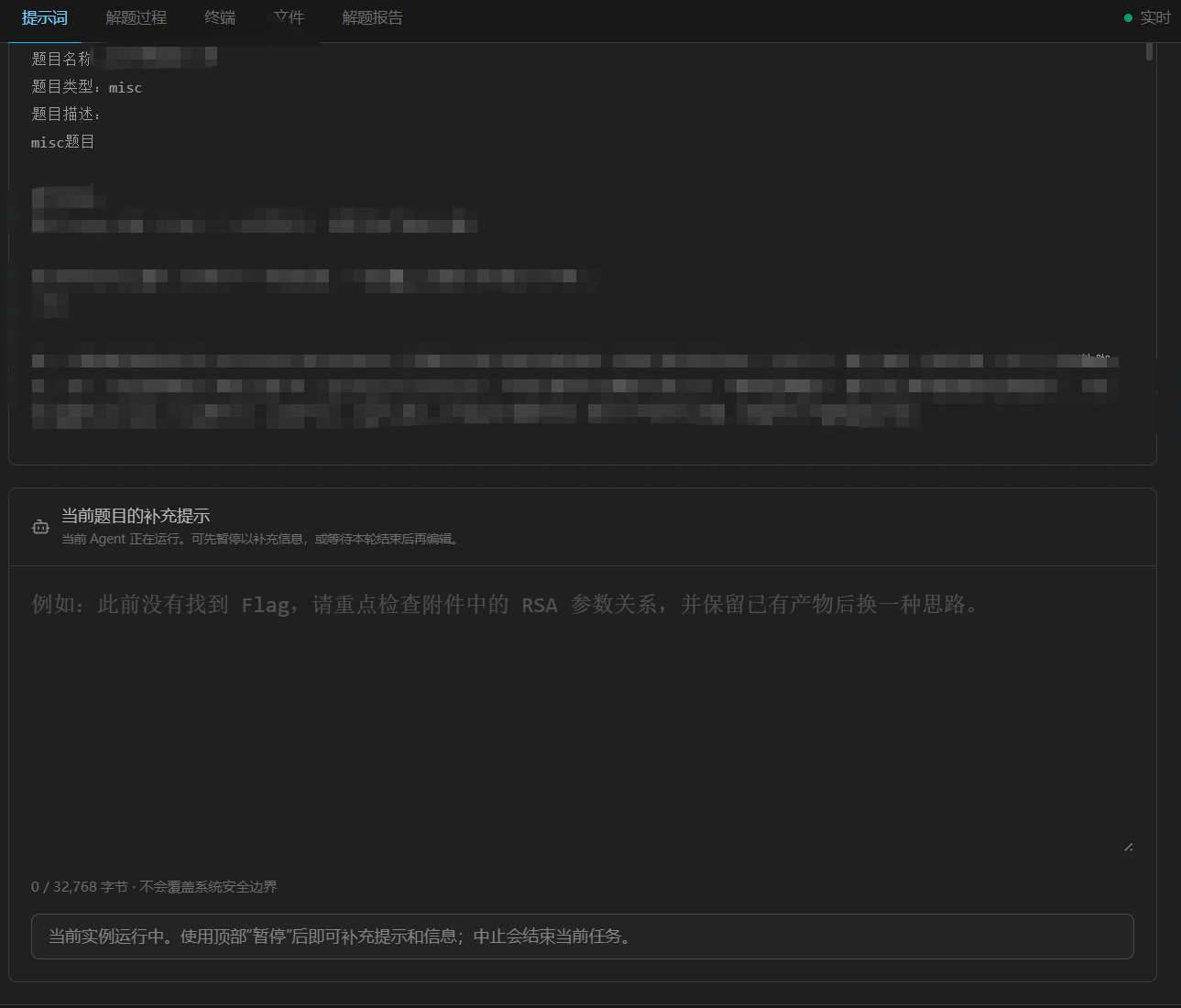](https://github.com/huihuilikaile/CTF-BTFly/blob/main/template/image-5.png) **解题过程 显示ai执行的一系列操作和思考过程 右上角可以暂停和中止 显示解题时间** [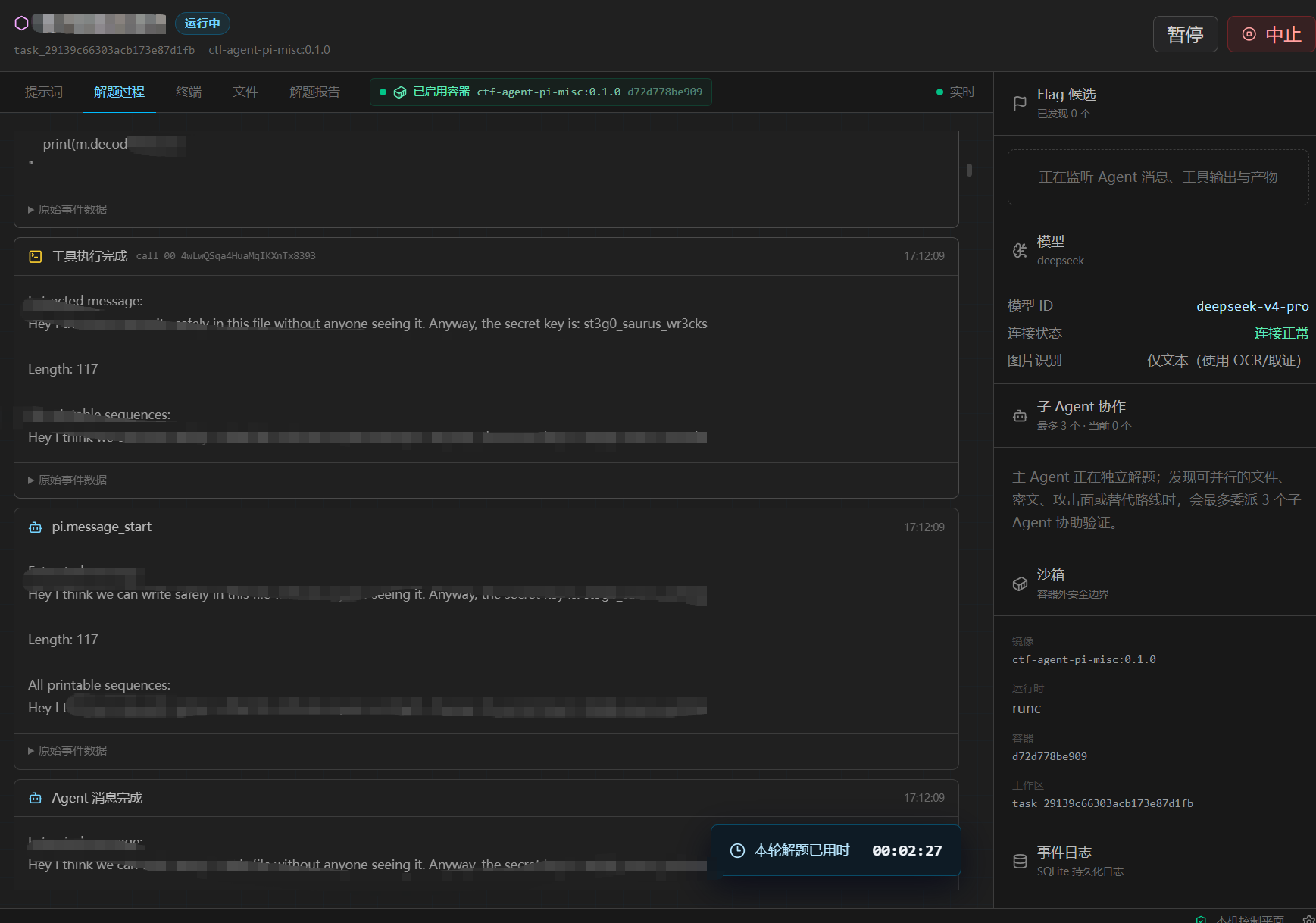](https://github.com/huihuilikaile/CTF-BTFly/blob/main/template/image-6.png) **终端和文件会显示工具执行的信息,产生的文件,文件允许下载** [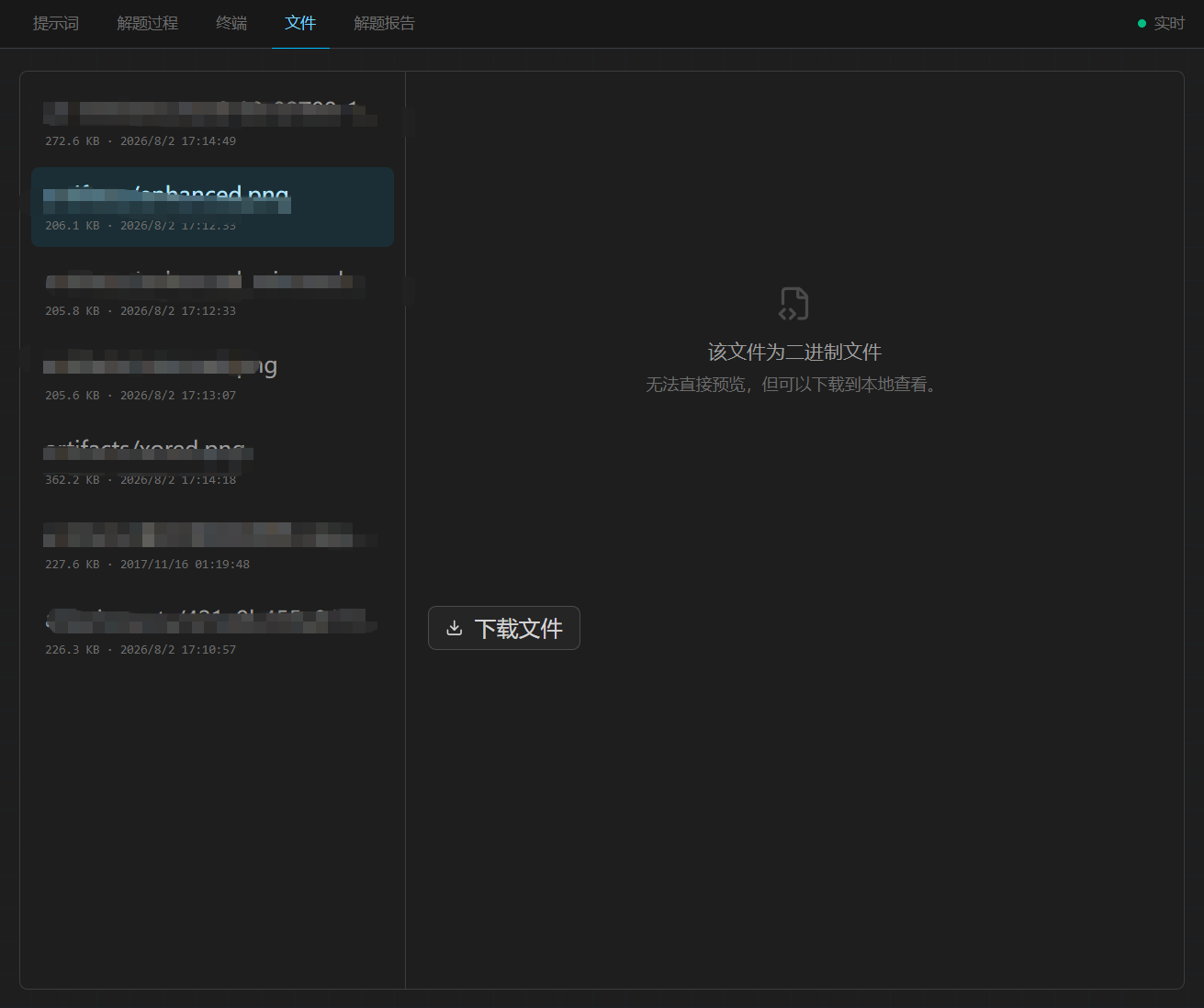](https://github.com/huihuilikaile/CTF-BTFly/blob/main/template/image-7.png) **wp 解题成功后会自动编写wp 允许下载** [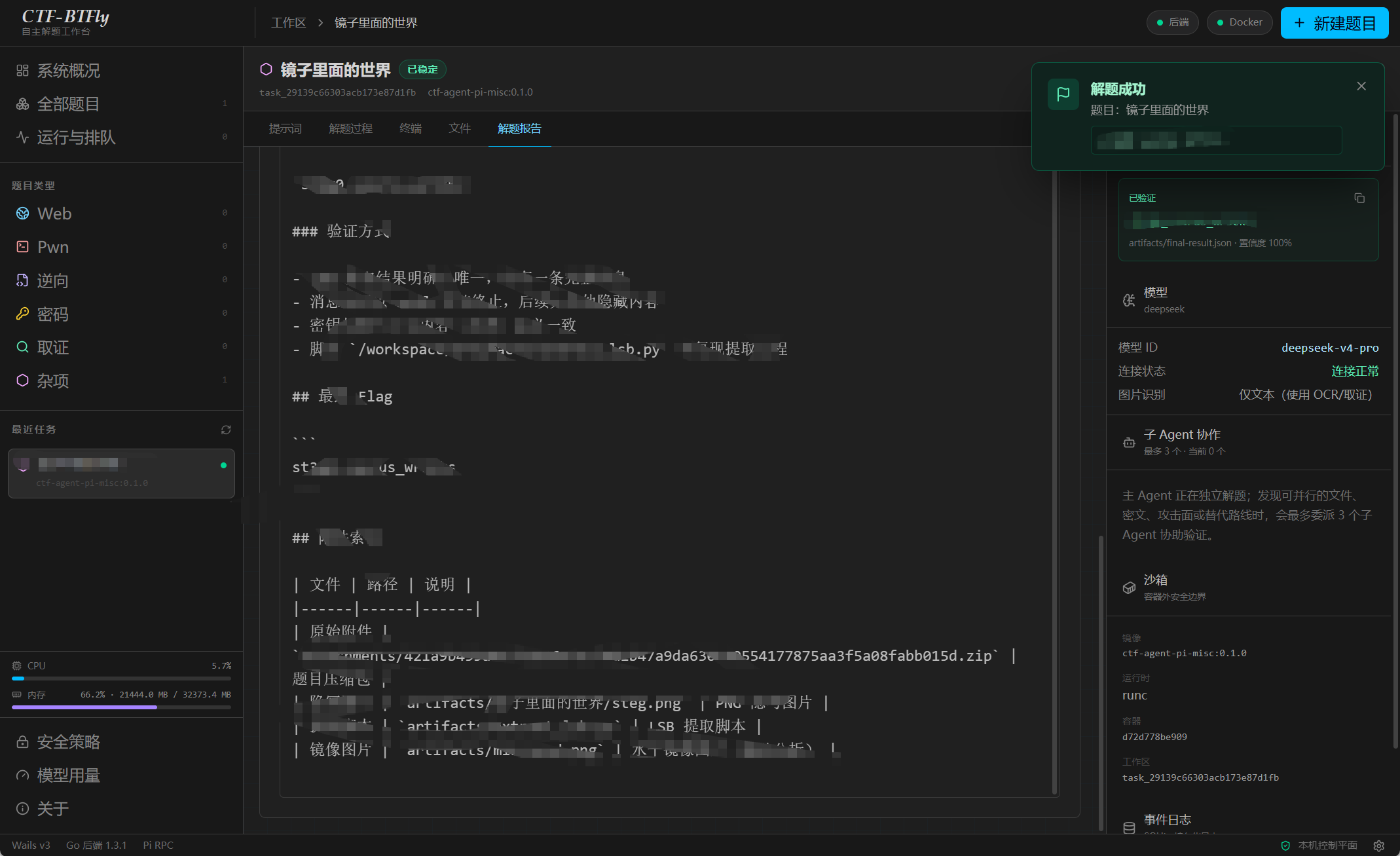](https://github.com/huihuilikaile/CTF-BTFly/blob/main/template/image-9.png) **题目卡片可以删除题目 可以选择是否保存wp** [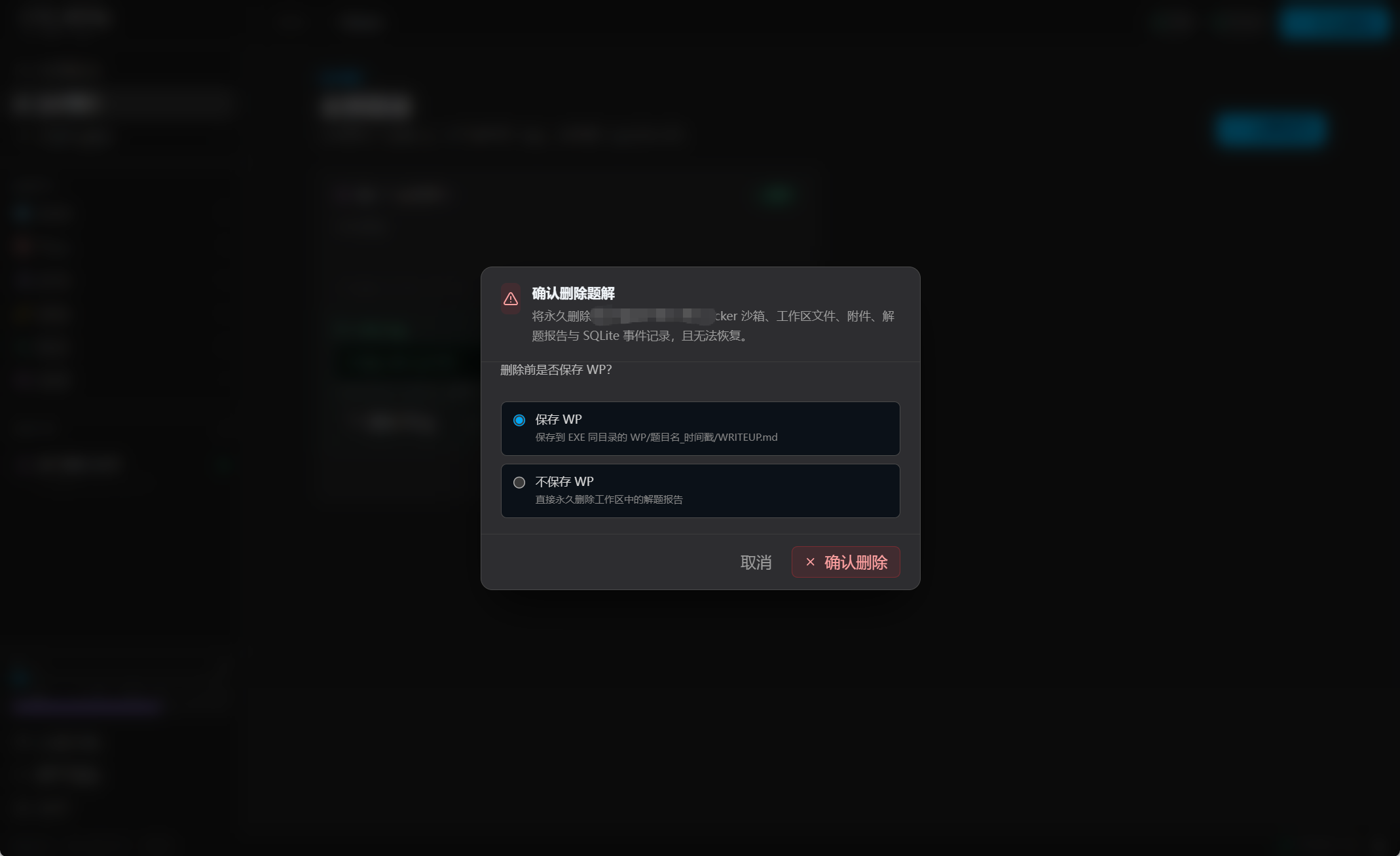](https://github.com/huihuilikaile/CTF-BTFly/blob/main/template/image-10.png) **允许自定义主题配色(2.0新增)** [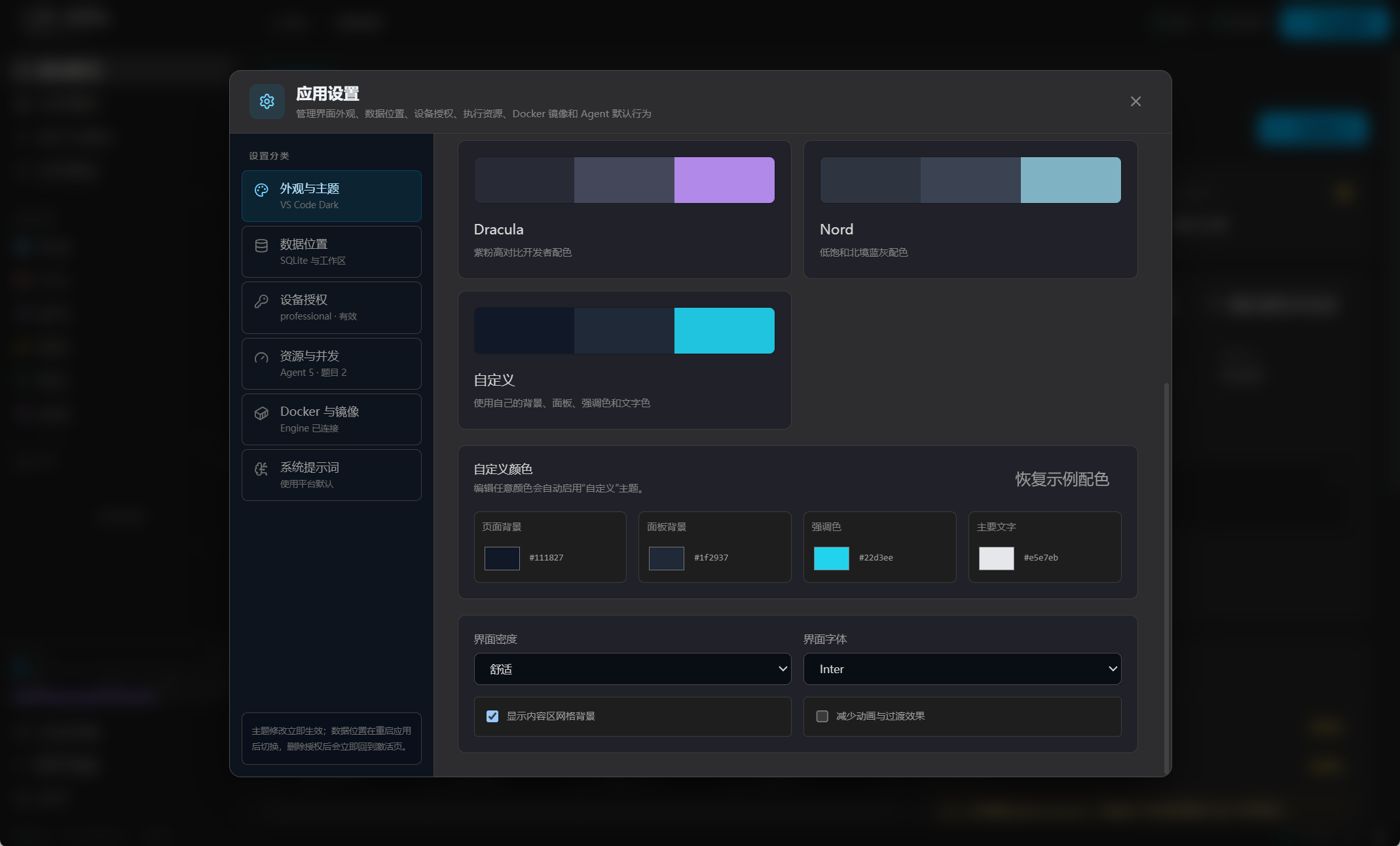](https://github.com/huihuilikaile/CTF-BTFly/blob/main/template/13.png)
xiaodi
2026年8月5日 14:59
1547
0 条评论
转发
收藏文档
上一篇
下一篇
手机扫码
复制链接
手机扫一扫转发分享
复制链接
分享
链接
类型
密码
更新密码
有效期
Markdown文件
Word文件
PDF文档
PDF文档(打印)