工具项目
文集大纲加载中……
小迪安全知识库
-
+
首页
红队钓鱼风险演练平台
红队钓鱼风险演练平台
# ApolloFish-阿波罗安全风险演练平台 项目地址:https://github.com/safe1024/apollofish [](https://github.com/safe1024/apollofish#apollofish-%E9%98%BF%E6%B3%A2%E7%BD%97%E5%AE%89%E5%85%A8%E9%A3%8E%E9%99%A9%E6%BC%94%E7%BB%83%E5%B9%B3%E5%8F%B0) ## 平台介绍 [](https://github.com/safe1024/apollofish#%E5%B9%B3%E5%8F%B0%E4%BB%8B%E7%BB%8D) ### 背景 [](https://github.com/safe1024/apollofish#%E8%83%8C%E6%99%AF) 在数字化浪潮下,钓鱼攻击已成为企业网络安全的主要威胁之一。仿冒网页、恶意邮件等钓鱼手段层出不穷,一旦员工不慎中招,可能导致企业核心数据泄露、系统瘫痪、财产损失等严重后果。在此背景下,阿波罗安全风险演练平台(ApolloFish)应运而生,平台以“实战演练赋能安全意识提升”为核心目标,通过模拟真实的网页钓鱼、邮箱钓鱼场景,帮助企业精准检验员工安全防护能力,系统性强化全员安全意识,筑牢企业网络安全第一道防线。 ## 功能说明 [](https://github.com/safe1024/apollofish#%E5%8A%9F%E8%83%BD%E8%AF%B4%E6%98%8E) [](https://github.com/safe1024/apollofish/blob/main/wiki-image/image-20260103235226802.png) ### 首页大屏 [](https://github.com/safe1024/apollofish#%E9%A6%96%E9%A1%B5%E5%A4%A7%E5%B1%8F) [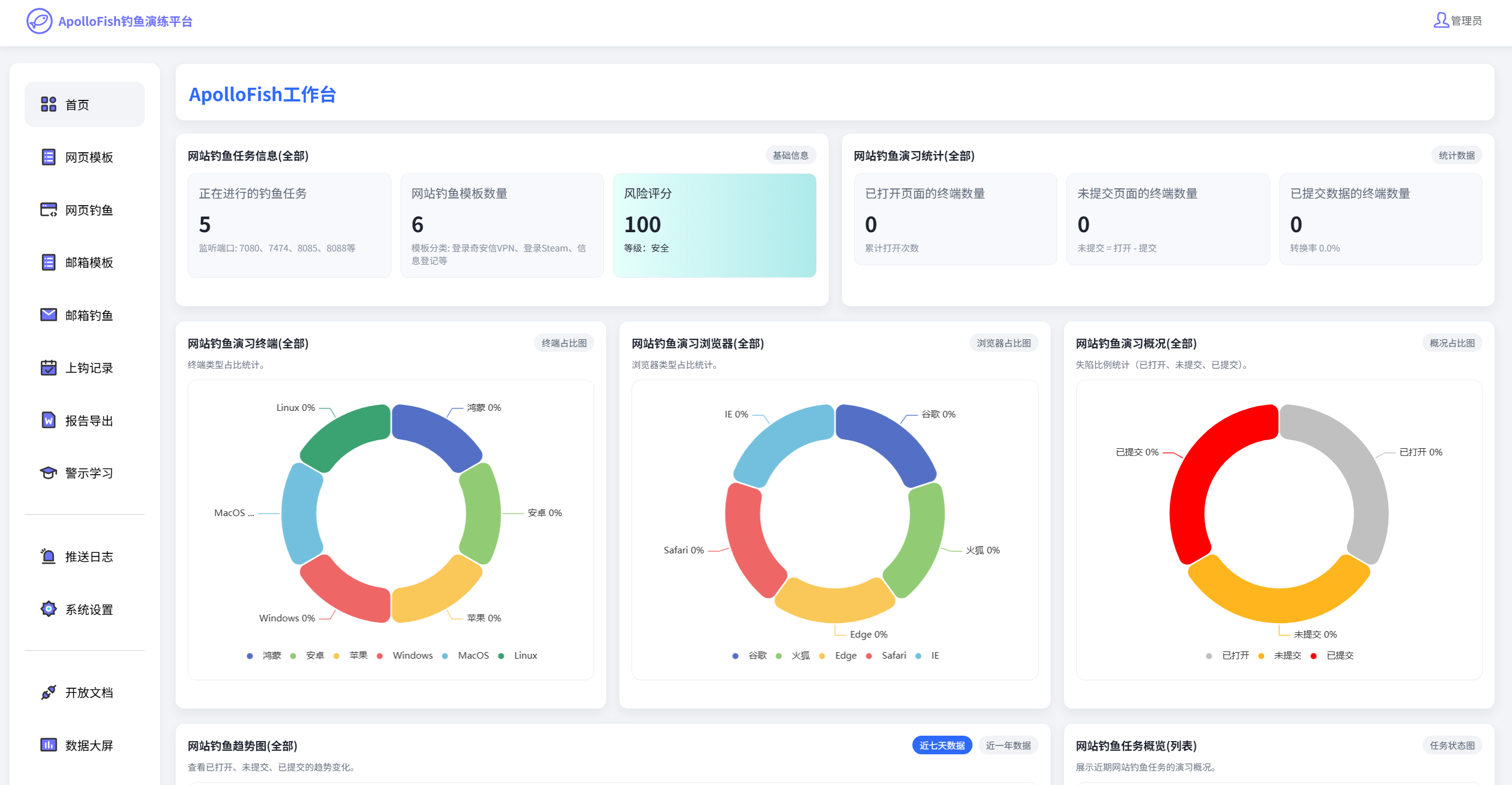](https://github.com/safe1024/apollofish/blob/main/wiki-image/image-v1.0.2-1770001538.png) ### 网页模板 [](https://github.com/safe1024/apollofish#%E7%BD%91%E9%A1%B5%E6%A8%A1%E6%9D%BF) 平台内置了一些常见的钓鱼演练模板,您可以直接选择使用。也可以在此创建您自己的钓鱼模板。 #### 模板制作 [](https://github.com/safe1024/apollofish#%E6%A8%A1%E6%9D%BF%E5%88%B6%E4%BD%9C) 自己制作网页模板时,尽量确保: 1、避免使用外部的js/css资源(防止外部链接资源无法访问的情况下,可能影响到钓鱼页面显示和功能) 2、避免上传js代码(例如自己写了登录逻辑,可能影响到数据上报) 建议使用纯HTML + 内嵌CSS 样式作为模板内容。 ### 网页钓鱼 [](https://github.com/safe1024/apollofish#%E7%BD%91%E9%A1%B5%E9%92%93%E9%B1%BC) 此功能是让现有的网页模板创建站点,进行对外访问使用。 > 支持自定义端口号(需注意主机防火墙是否放通、云厂商防火墙是否放通) > 支持IP访问或域名访问 > 支持配置https证书,实现加密访问 [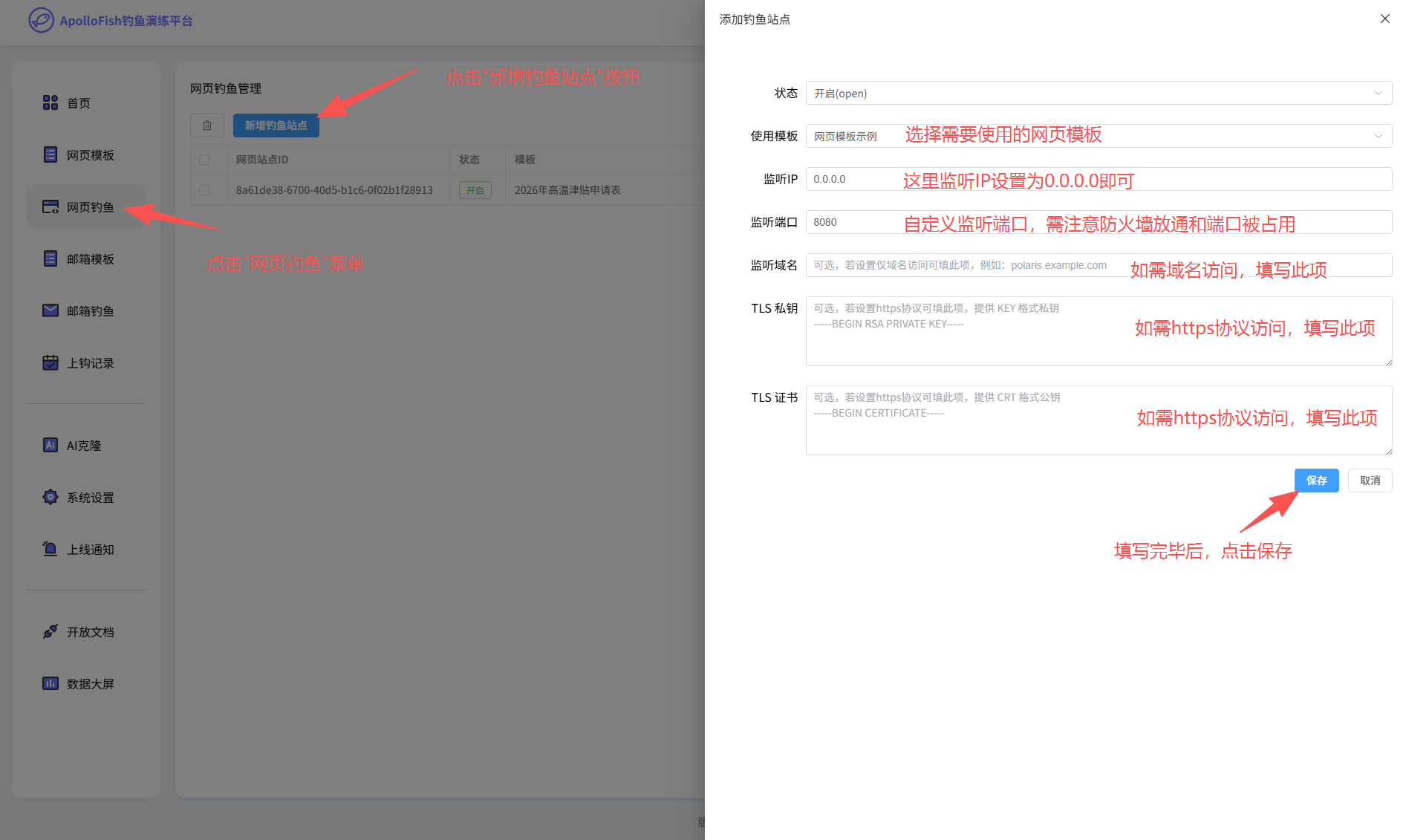](https://github.com/safe1024/apollofish/blob/main/wiki-image/image-10.png) ### 邮箱模板 [](https://github.com/safe1024/apollofish#%E9%82%AE%E7%AE%B1%E6%A8%A1%E6%9D%BF) 平台内置了一些常见的钓鱼演练模板,您可以直接选择使用。也可以在此创建您自己的钓鱼模板,创建方法如下: [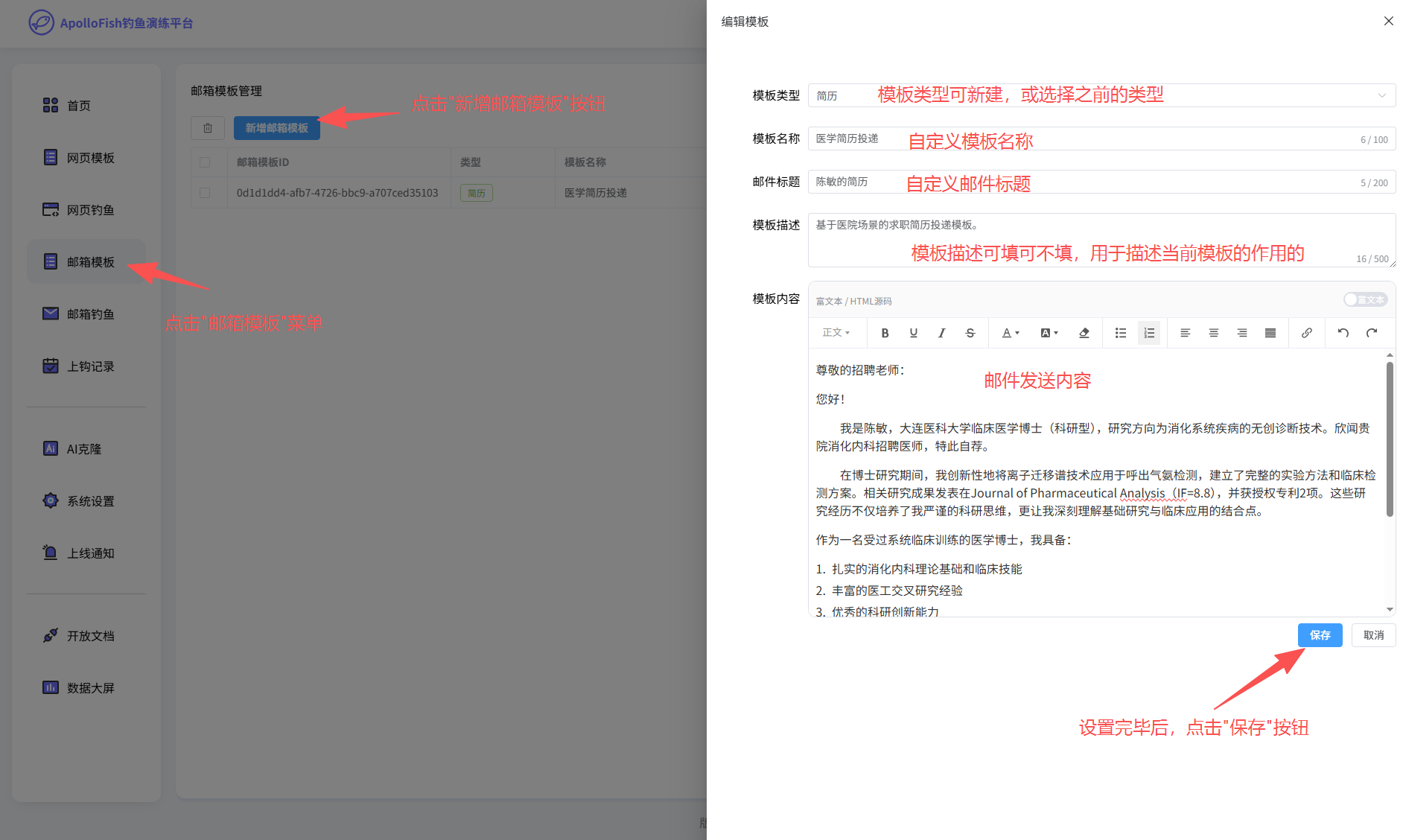](https://github.com/safe1024/apollofish/blob/main/wiki-image/image-11.png) ### 邮箱钓鱼 [](https://github.com/safe1024/apollofish#%E9%82%AE%E7%AE%B1%E9%92%93%E9%B1%BC) [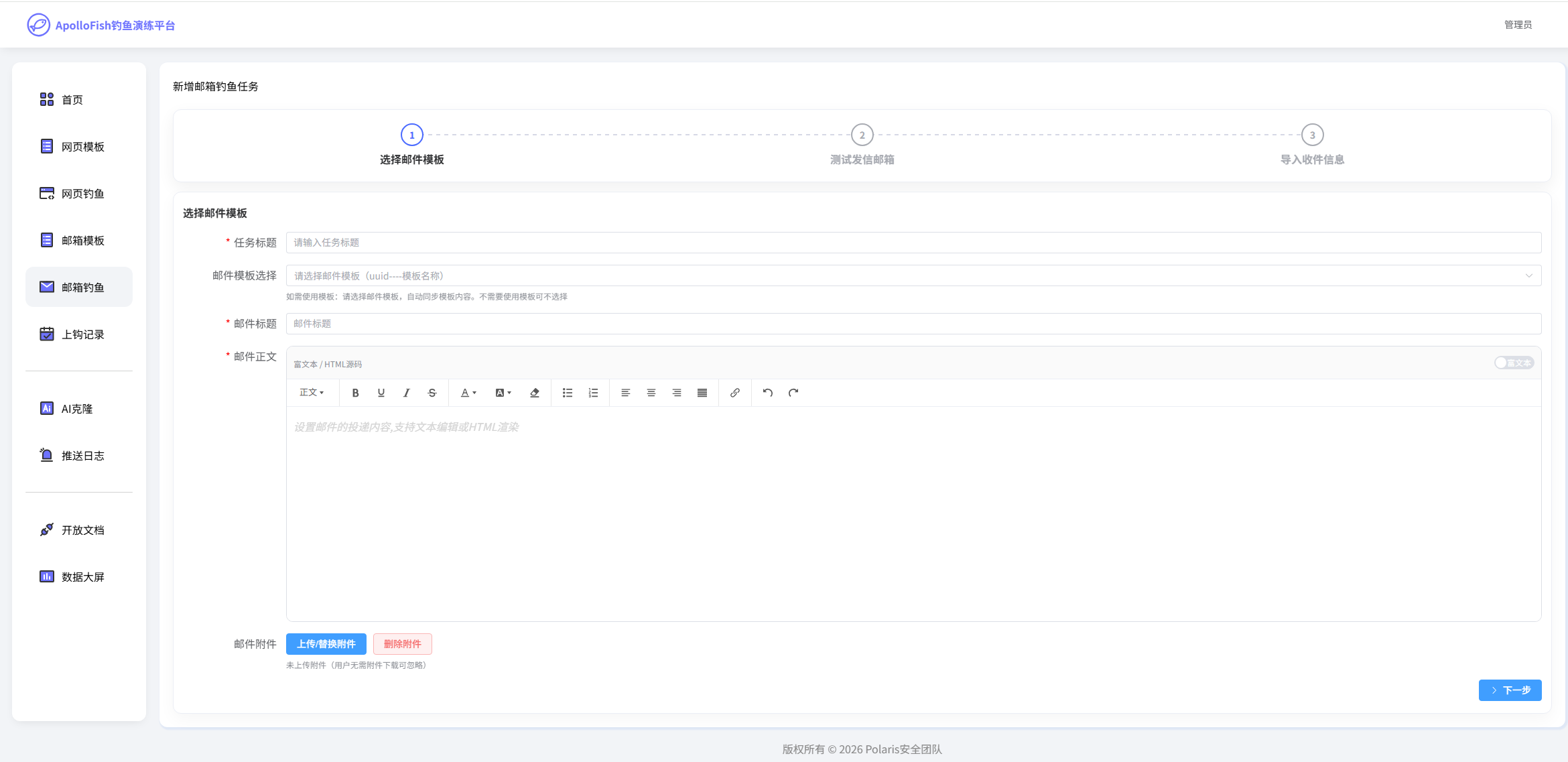](https://github.com/safe1024/apollofish/blob/main/wiki-image/image-20260103235642767.png) 邮件附件可选择如上添加的模板。 [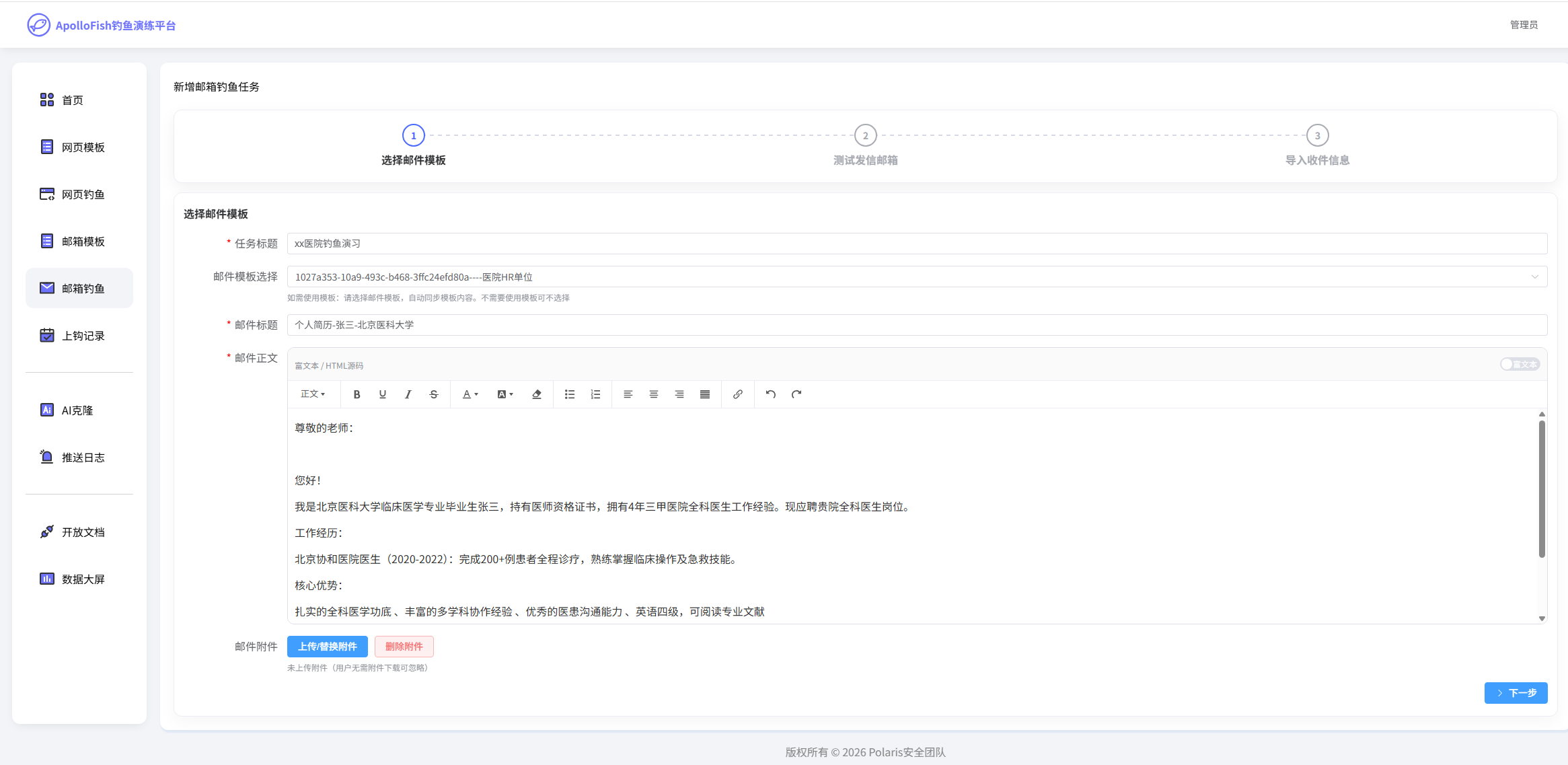](https://github.com/safe1024/apollofish/blob/main/wiki-image/image-20260103235856106.png)输入任务标题、附件内容等,添加附件信息。 [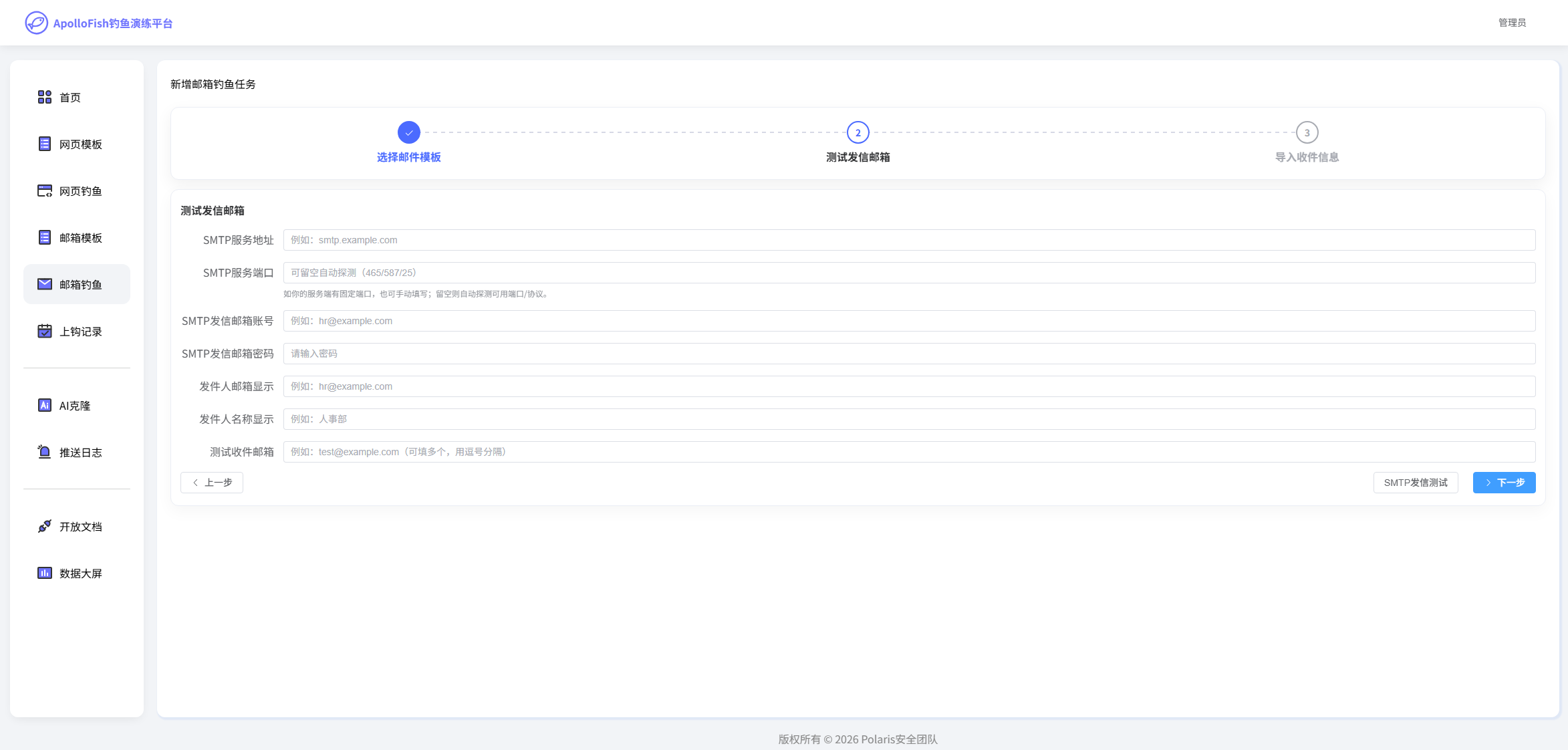](https://github.com/safe1024/apollofish/blob/main/wiki-image/image-20260104000203518.png) 设置邮件发送者的邮箱。点击SMTP测试可验证邮件是否填写成功。 [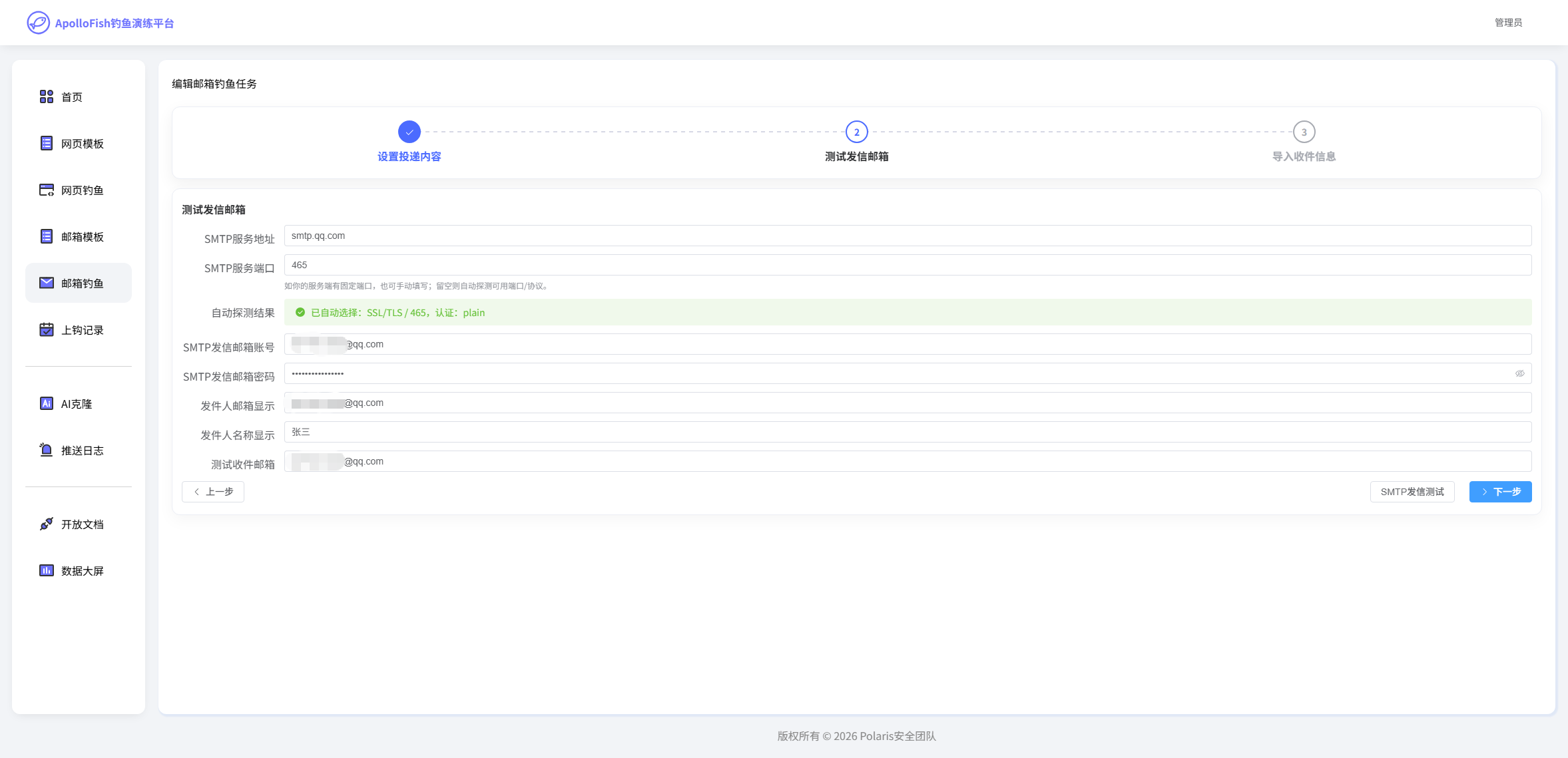](https://github.com/safe1024/apollofish/blob/main/wiki-image/image-20260104000705433.png) [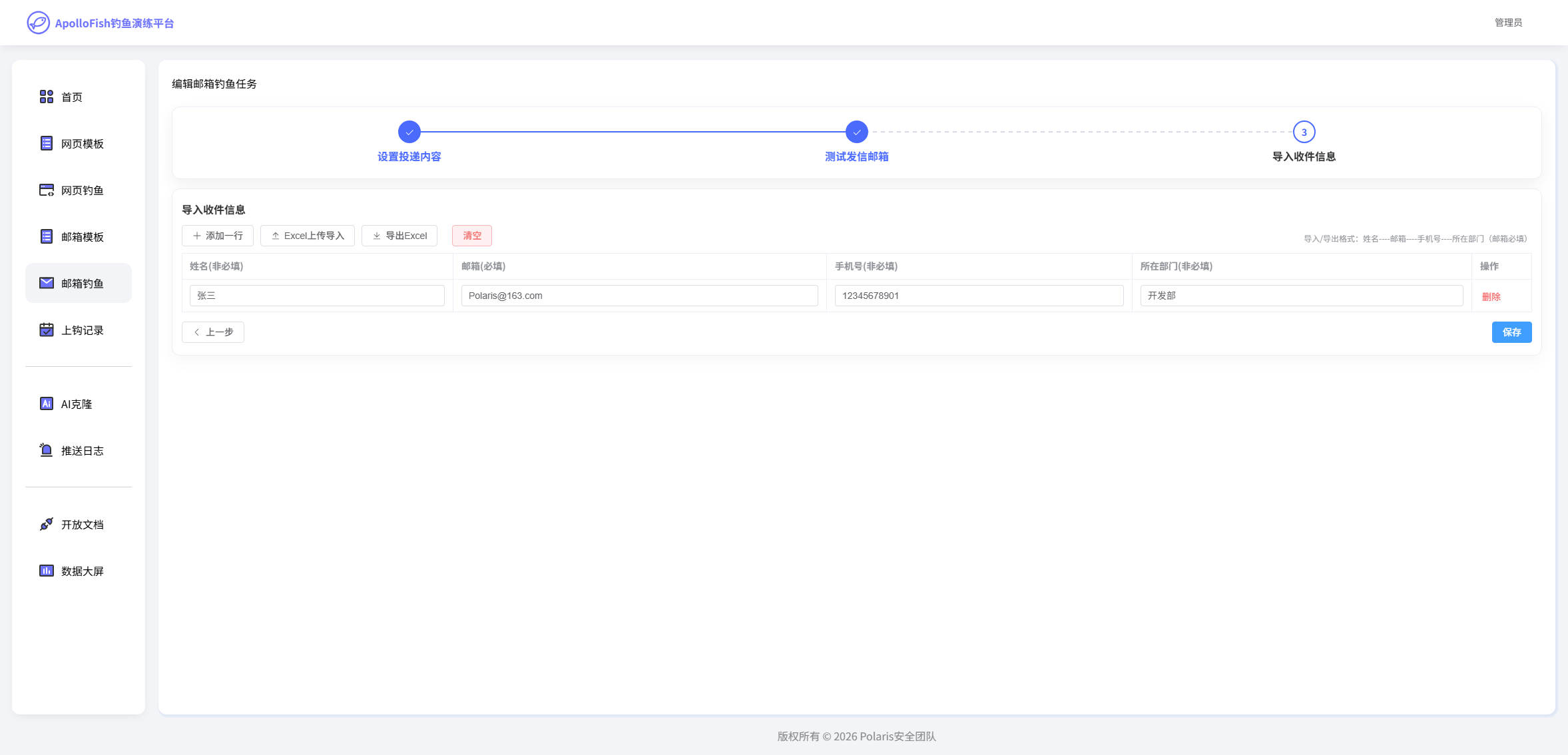](https://github.com/safe1024/apollofish/blob/main/wiki-image/image-20260104000943716.png) 输入对目标接受者信息导入。 [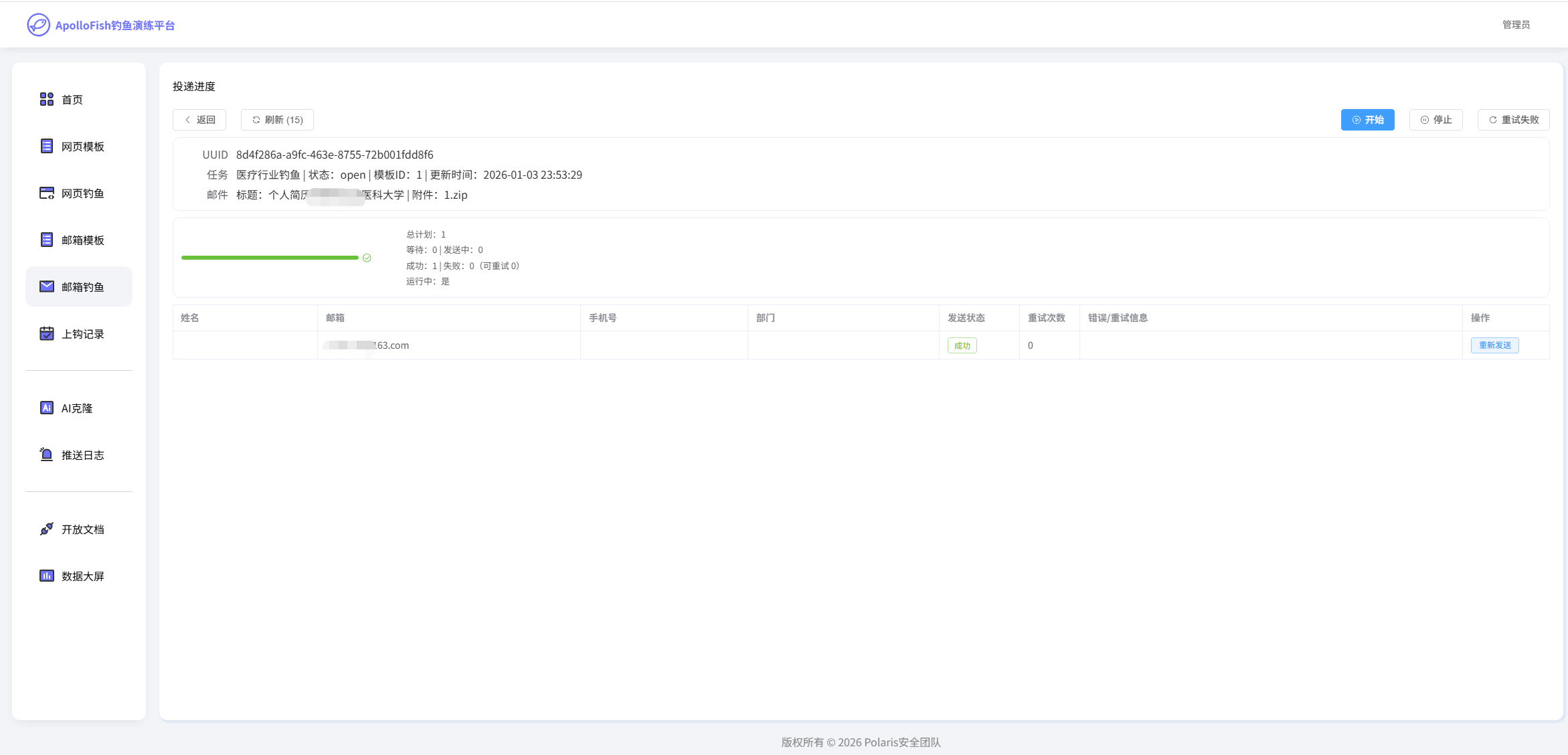](https://github.com/safe1024/apollofish/blob/main/wiki-image/image-20260103235420617.png) 点击详情可查看发送状态,和选择重新发送。 ### 上钩记录 [](https://github.com/safe1024/apollofish#%E4%B8%8A%E9%92%A9%E8%AE%B0%E5%BD%95) #### 网页钓鱼记录 [](https://github.com/safe1024/apollofish#%E7%BD%91%E9%A1%B5%E9%92%93%E9%B1%BC%E8%AE%B0%E5%BD%95) [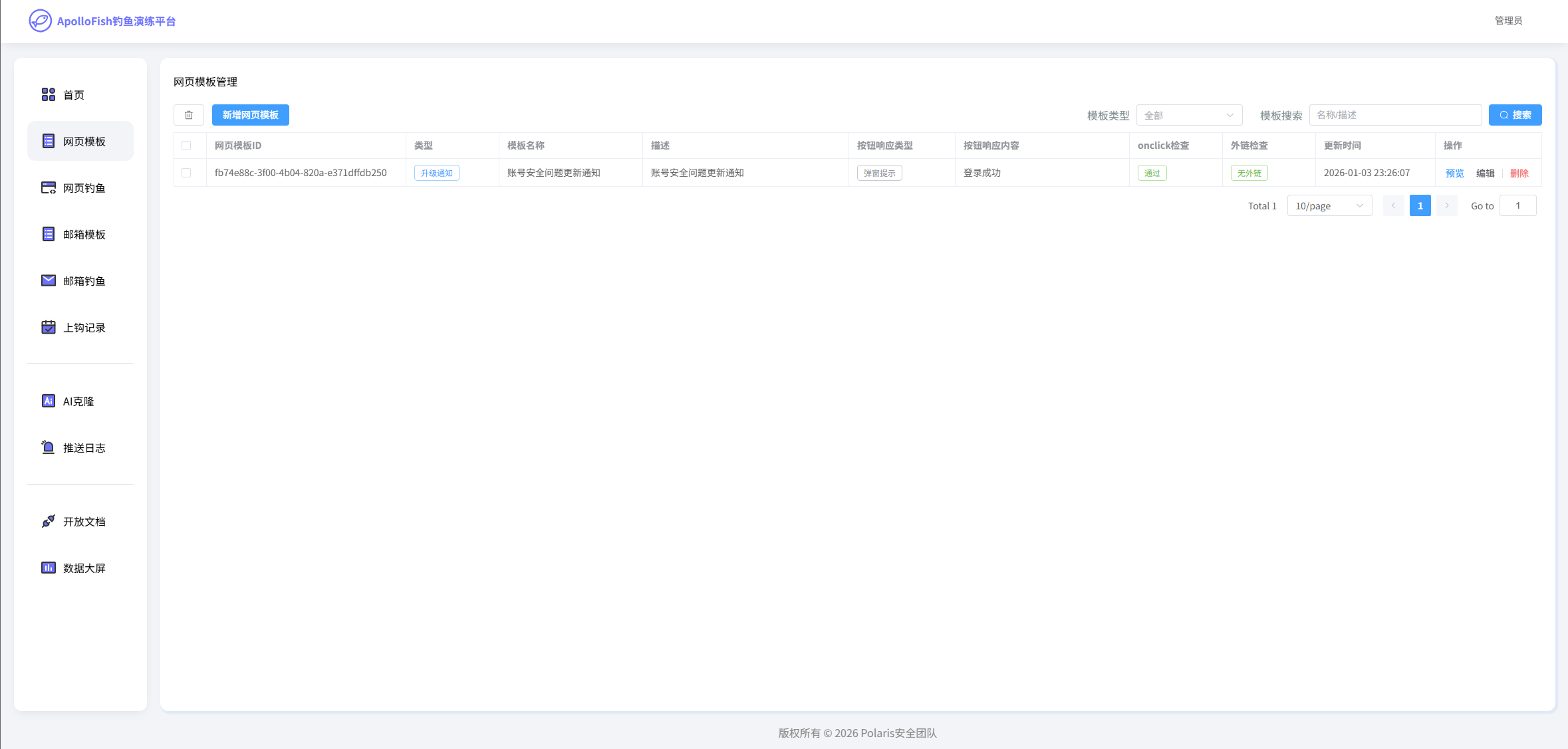](https://github.com/safe1024/apollofish/blob/main/wiki-image/image-20260104001617075.png) [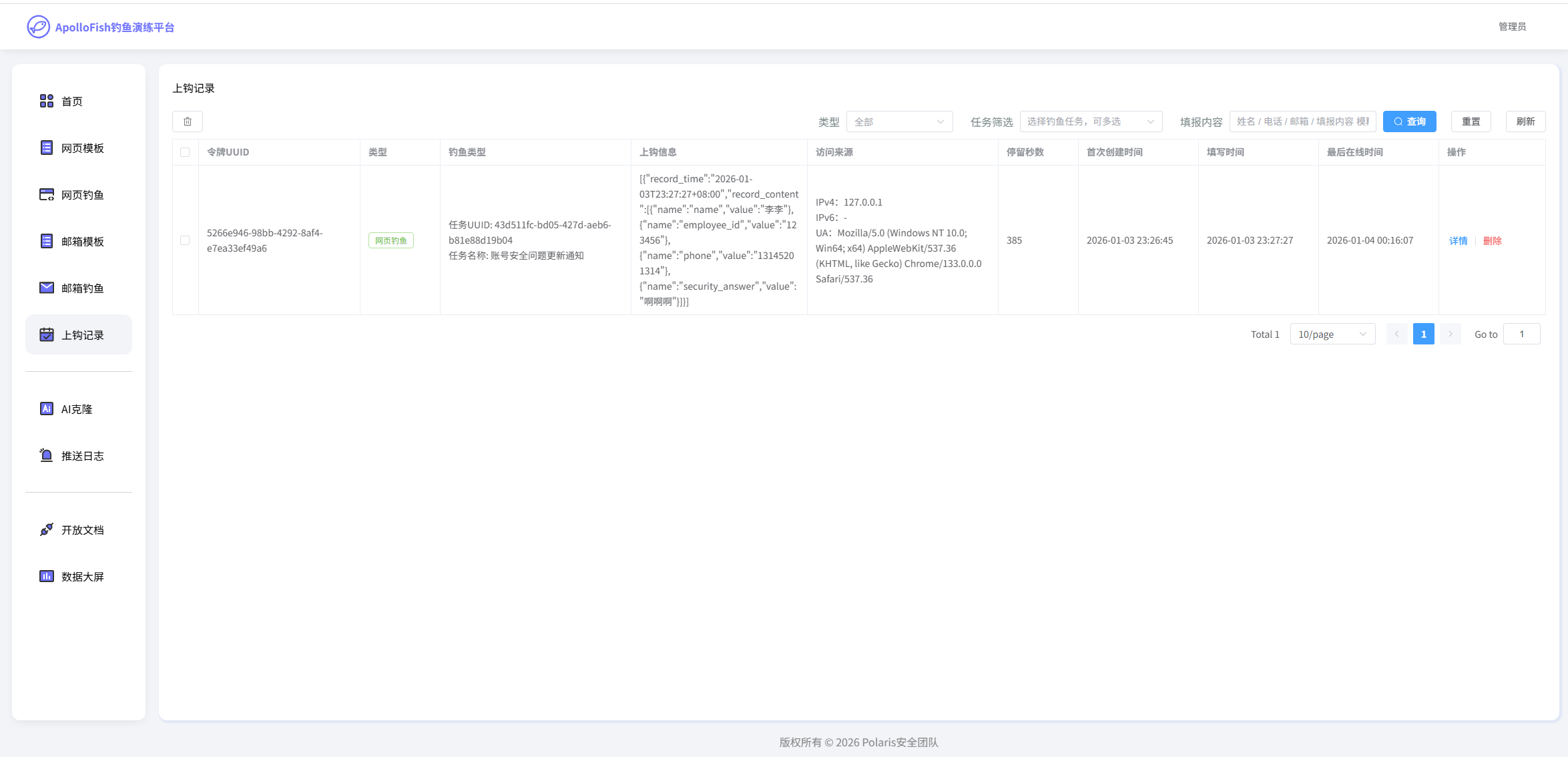](https://github.com/safe1024/apollofish/blob/main/wiki-image/image-20260104001626698.png) 点击上钩记录,可查看到用户输入的信息。 [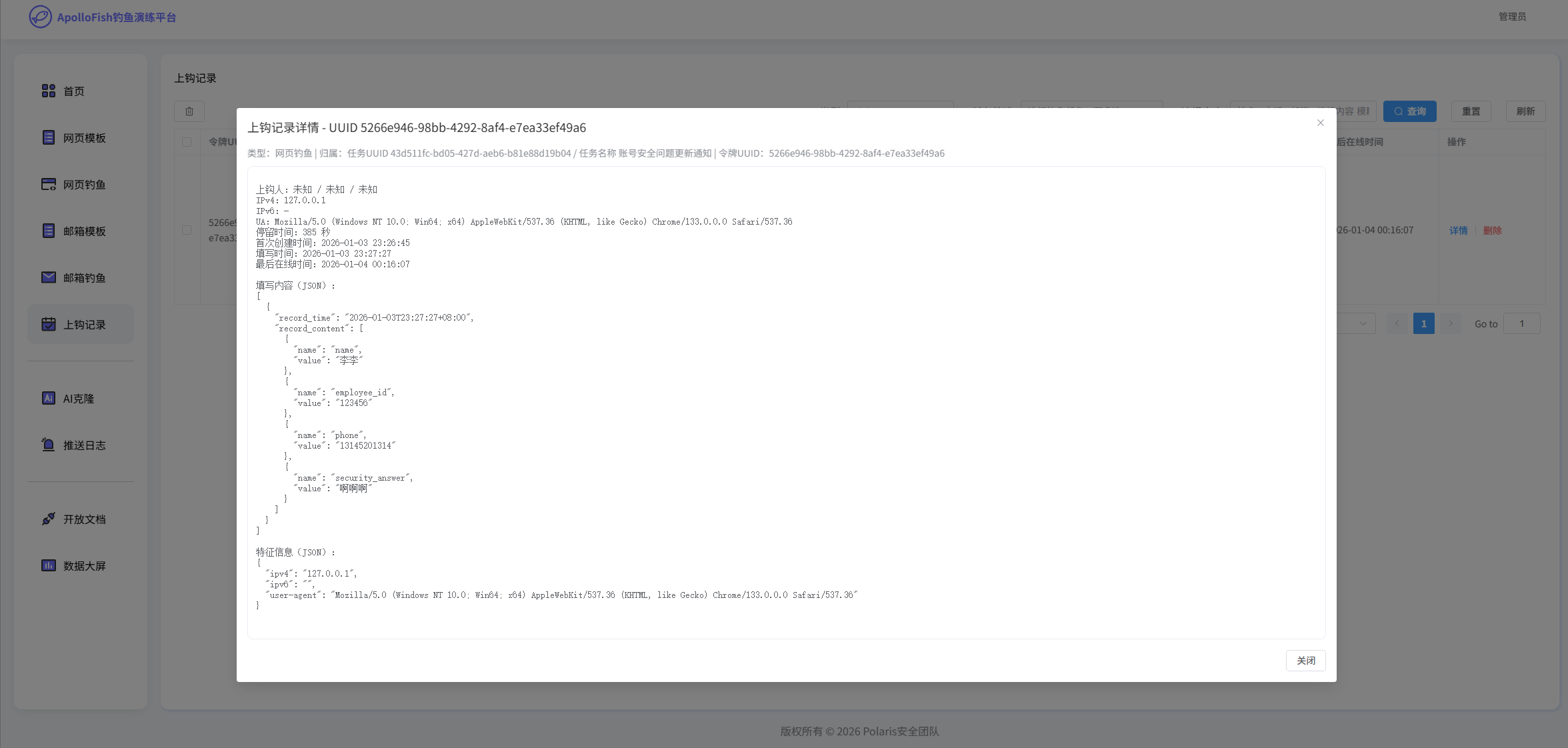](https://github.com/safe1024/apollofish/blob/main/wiki-image/image-20260104001712204.png) 点击详情可查看到用户详细输入的具体信息通过JSON形式存储。
xiaodi
2026年7月1日 14:45
13
0 条评论
转发
收藏文档
上一篇
下一篇
手机扫码
复制链接
手机扫一扫转发分享
复制链接
分享
链接
类型
密码
更新密码
有效期
Markdown文件
Word文件
PDF文档
PDF文档(打印)